 BrainBit Infotech Teaching
TRY IT FREE · NO SIGN-UP
Make a class test in 10 minutes. Get ranked results instantly.
Type a topic, paste questions or upload a PDF. Share one link — students take it on their phones, on any subject and any topic.
Create my first test → Watch demo
- Any subject
- AI writes questions
- PDF to test
New teachers: Premium Plus free for 1 month + ₹50 AI credit. See plans
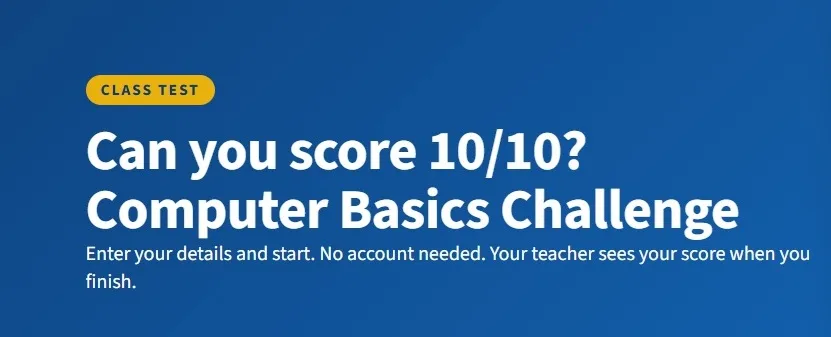
Take a sample test as a student
See exactly what your students see: no account, a timer, and the score with the right answers at the end.
What do you want to do today?
Pick one. Each card opens the real tool.
Teach a lesson
Ready slides and courses you can project in your next class.
Explore courses →Create a test
Start from a topic, your own questions or a PDF. Students need no account.
Create a test →Check results
See ranks, scores and each student's answer sheet as soon as they submit.
See how results work →Prepare training material
Presentations and quizzes for staff and corporate training.
Explore trainer tools →How it works
Three steps, from your topic to your students' results.
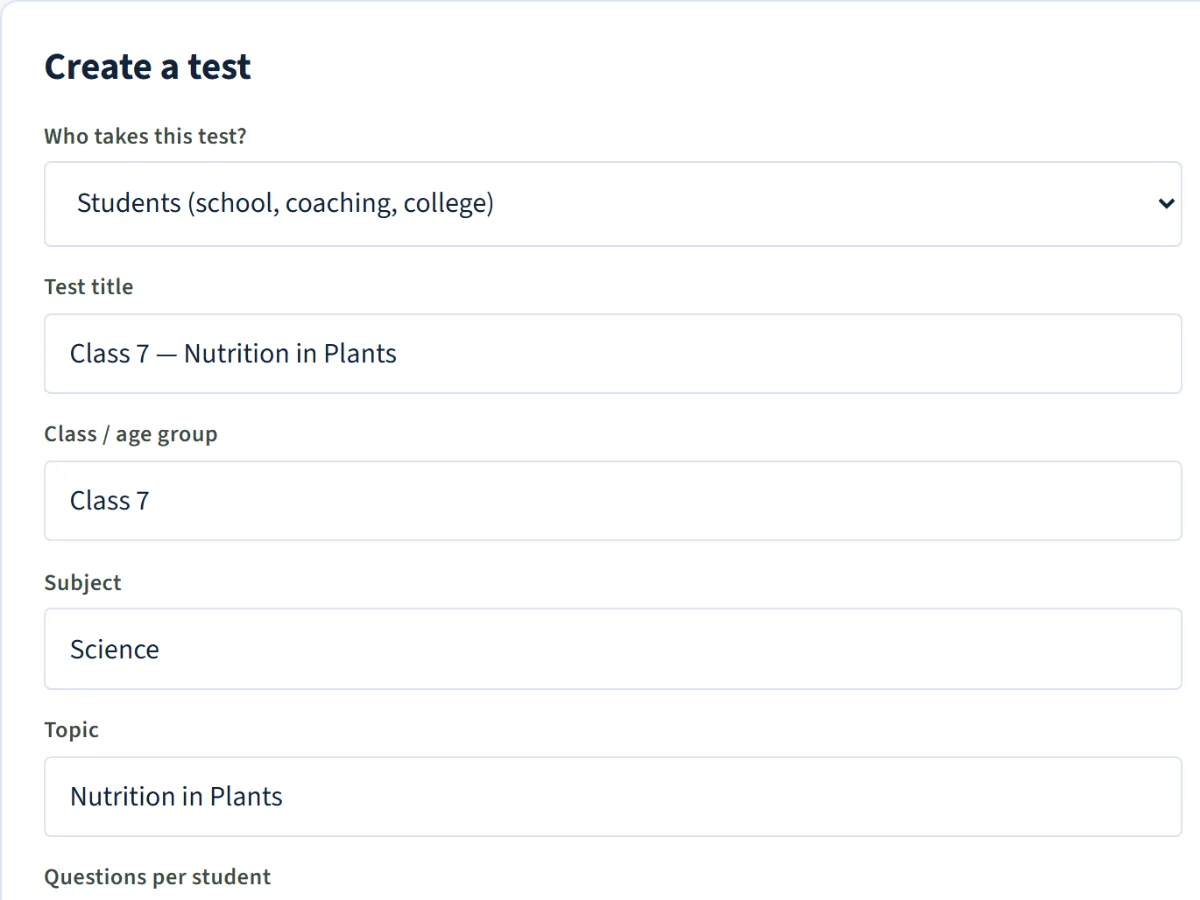
Make the test
Type a topic, paste your questions, pick from the shared library or upload a PDF.
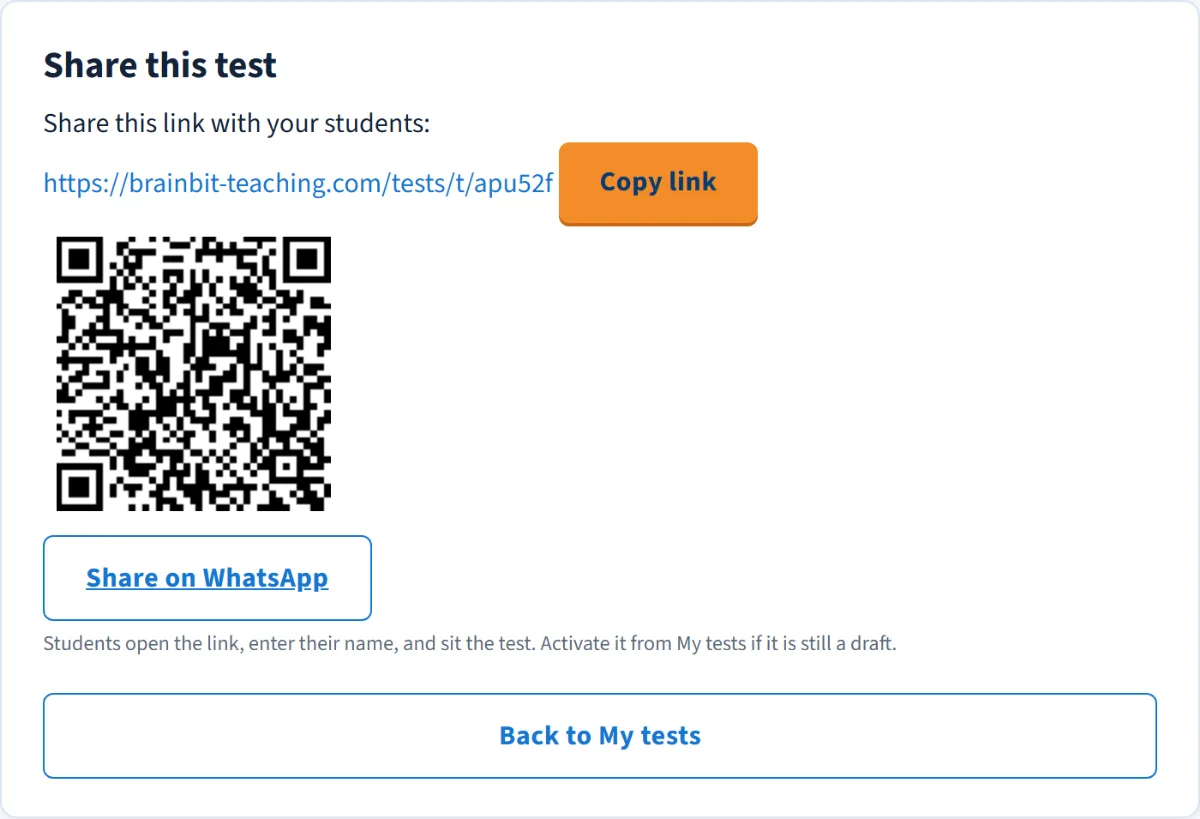
Share it on WhatsApp
Send one link to your class group. Students open it on any phone. No account, no app.
Check the results
Ranks and scores appear as students finish. Download answer sheets or a spreadsheet (CSV).
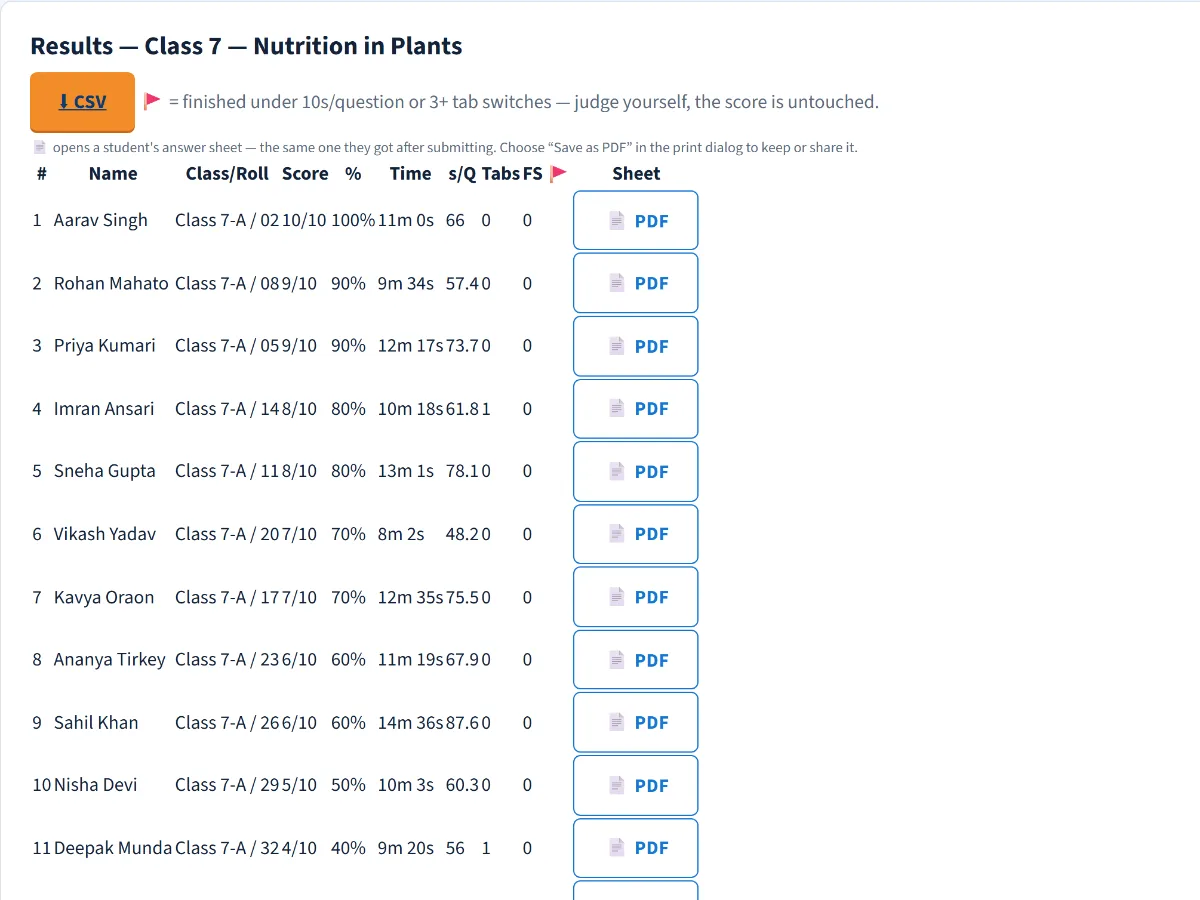
Example data
One toolkit for your whole week
Plan the lesson, set the test and read the results in one place.
Make a test without starting from zero
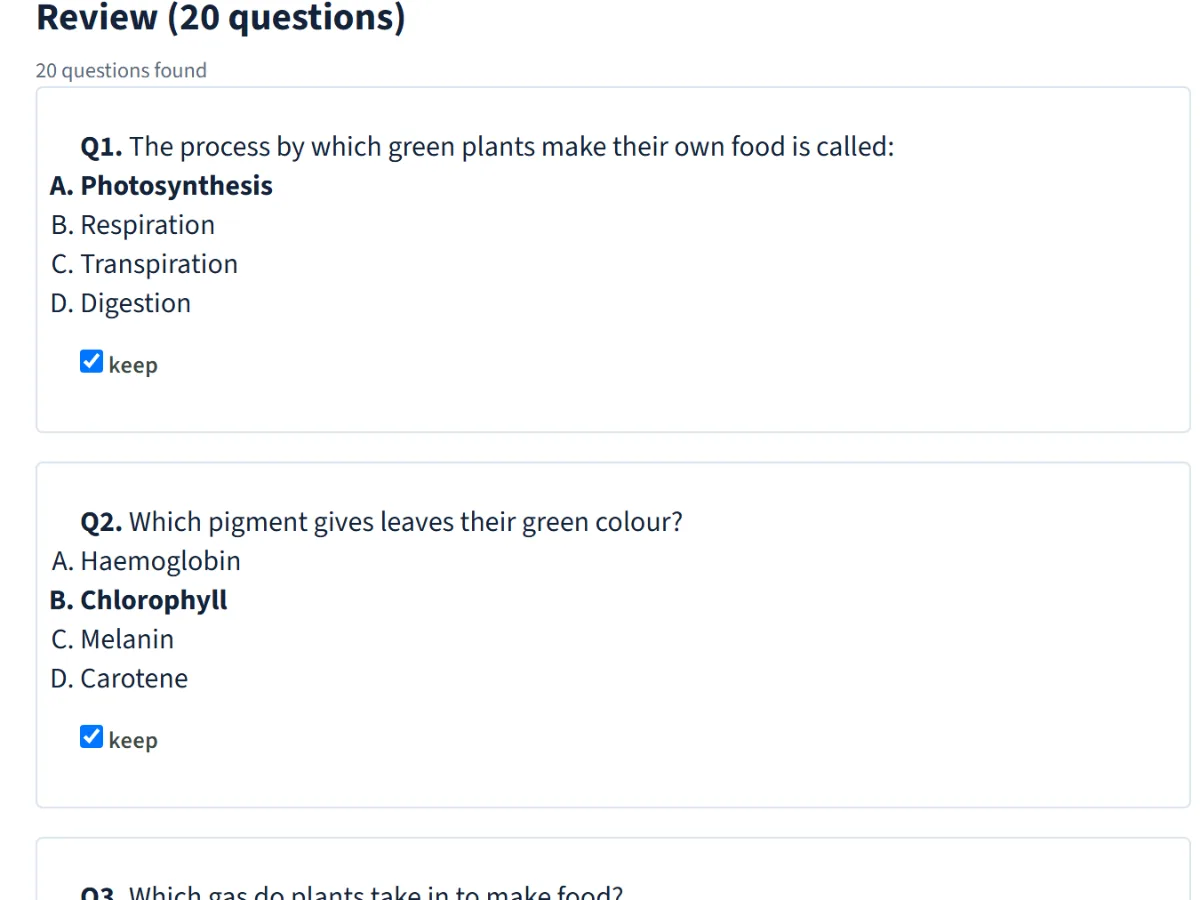
- AI writes questions from your topic (one click on Premium Plus; a free copy-paste prompt on every plan)
- Paste your own questions or pick from the shared library
- Turn a PDF of questions or notes into a test
- Passages, tables and up to 5 options
- Timed tests that flag tab switches
Teach from ready slides
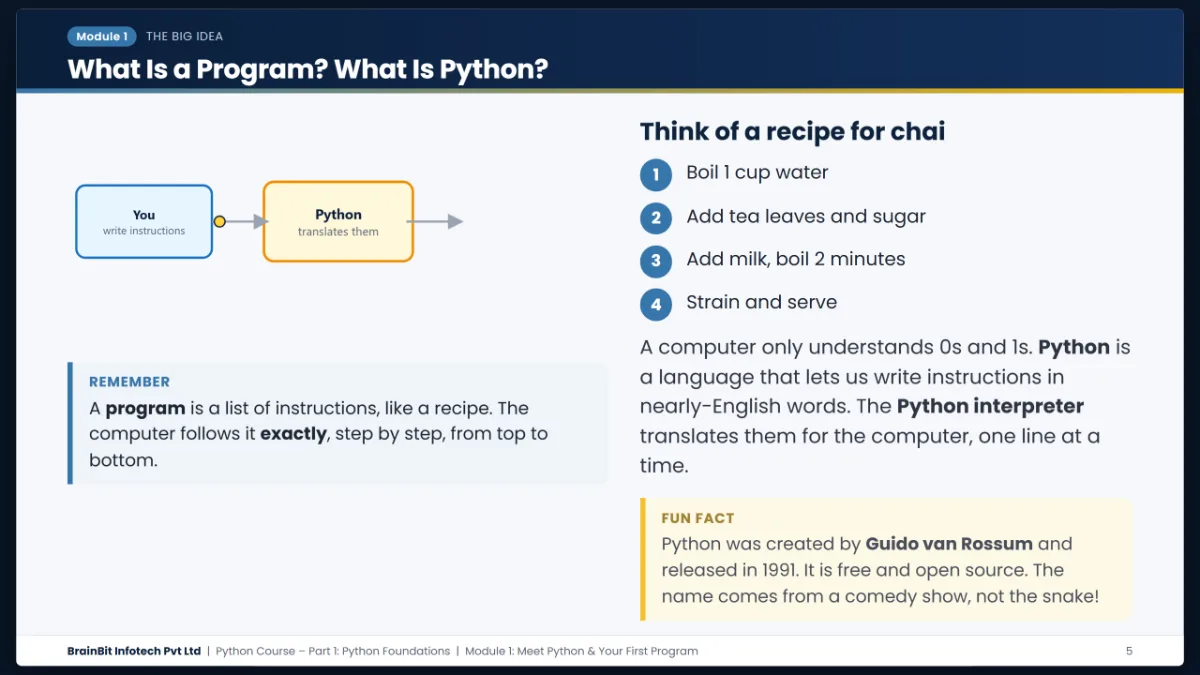
- 15 free courses with projector-ready slides
- Search 2,660 slides in the Slide Library
- Turn an AI answer into your own deck of up to 20 slides
- Presentations you share with a passcode
Results without the paperwork
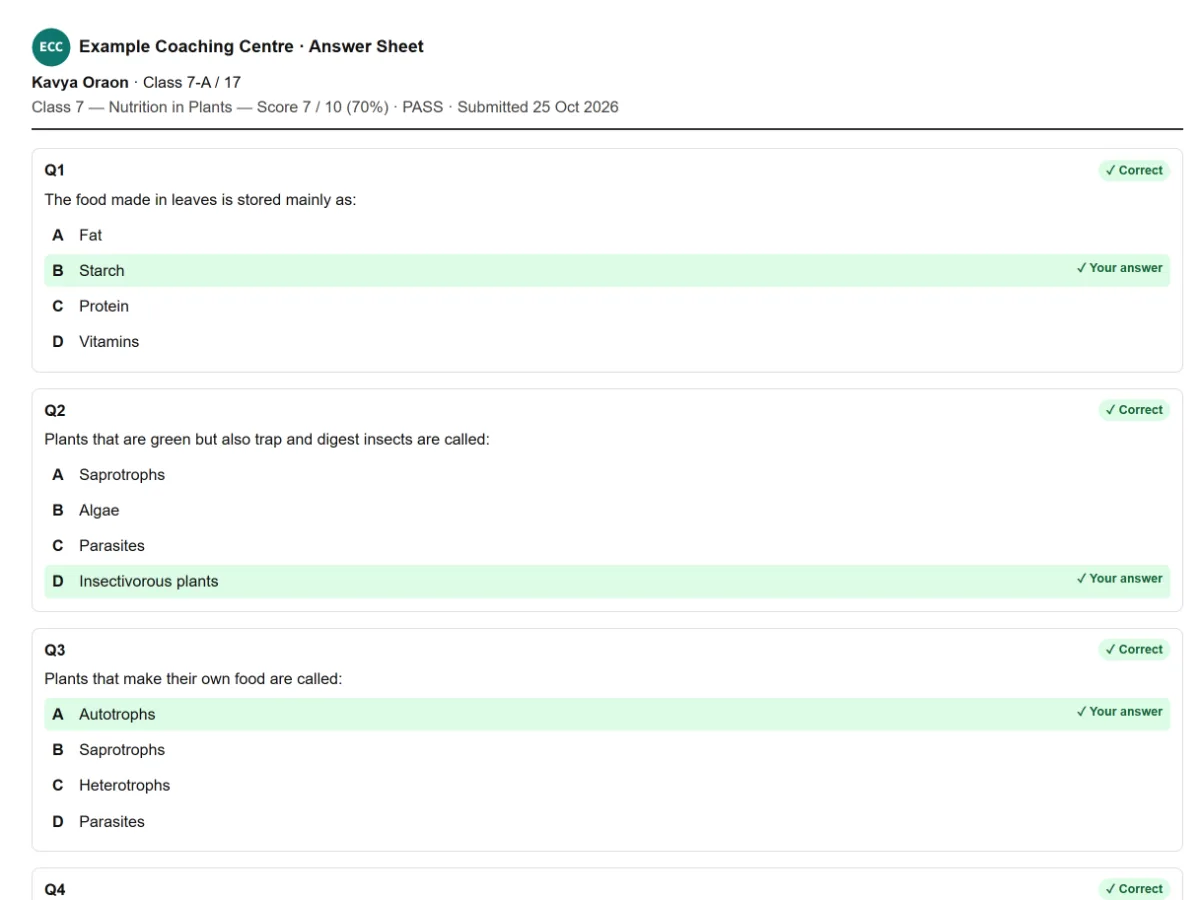
- Live ranks as students finish
- An answer-sheet PDF for each student
- All results as a spreadsheet (CSV)
- See which questions the class found hardest
- Students see their score and the correct answers
Your institute's name on everything
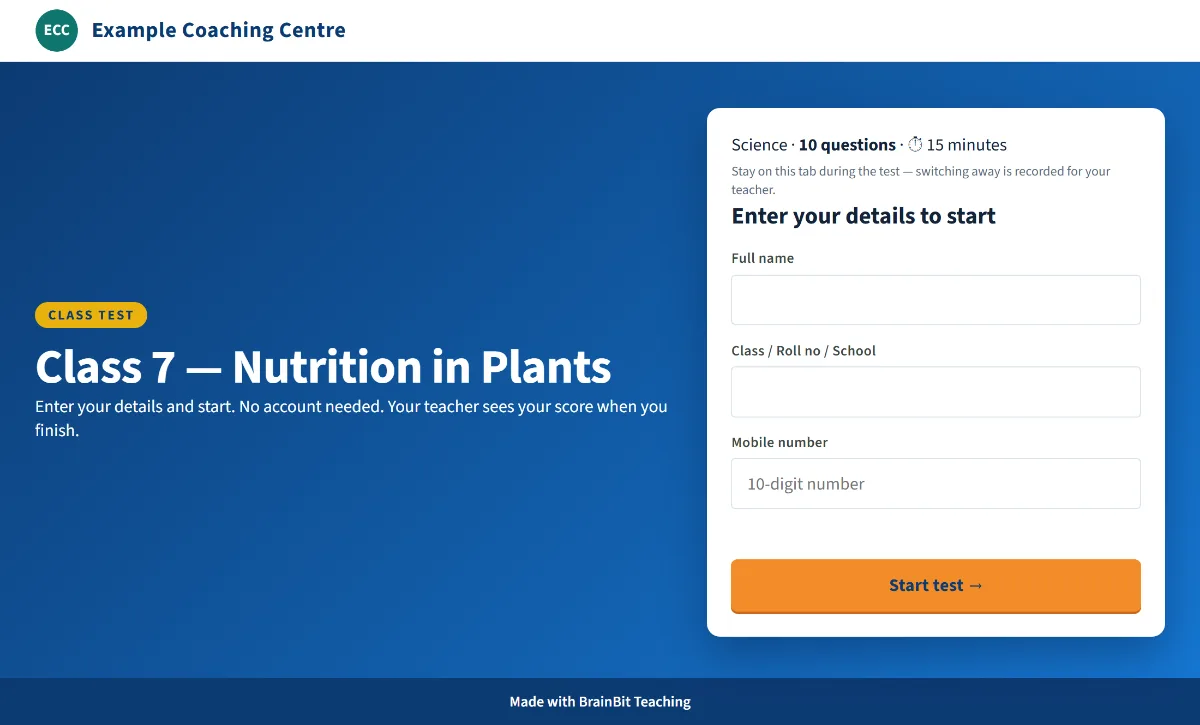
- Your institute name and logo on slides and tests Premium Plus
- The Android app for tests, results and slides
Ready-made courses
Projector-ready slides and labs you can teach from tomorrow. All courses are free to open — no sign-up needed.
Python
Take students from print("Hi") to databases, data analysis, Flask web apps and desktop apps, with code you can run, step-through animations and a built-in Python Lab.
403 slides · 86 h · BeginnerView course → Web DevelopmentDjango
Turn a class that can write Python scripts into one that can ship a working web application.
45 slides · 14 h · IntermediateView course → ElectiveBlockchain
Teach what a blockchain actually is — hashing, chaining, consensus — by building one, not by talking about currency prices.
35 slides · 8 h · BeginnerView course → ElectiveAI APIs in Django
Show a class how to call a real AI model from a real web app — keys, timeouts, cost and clean JSON, not just a demo prompt.
42 slides · 10 h · AdvancedView course → ElectiveGit & GitHub
The version control every employer expects, taught with a terminal simulation so nothing has to be installed first.
53 slides · 8 h · BeginnerView course → Java Full StackCore Java
Take students from their first println to OOP, Collections, streams, multithreading and JDBC, with code you can run, step-through animations and a built-in Code Lab.
476 slides · 101 h · BeginnerView course → Web DevelopmentReact
Take students from their first component to hooks, React Router, Redux Toolkit, TypeScript, testing and deployed projects, with every example running live inside the slides.
403 slides · 88 h · BeginnerView course → Industrial AutomationVirtual PLC Lab
A PLC trainer no institute has to buy. Students build real ladder logic in the browser and watch a simulated machine respond.
12 teaching days · 24 h · BeginnerView course → Office SkillsComputer Applications & Office Administration
A computer institute in the browser. Students learn the job — files, hardware, a messy office PC — not a menu tour of Word.
12 weeks · 180 h · BeginnerView course → Programming FundamentalsC Programming
The full first-semester C paper as slides — a day-by-day syllabus from your first program to linked lists, with a practical at the end of every module and a Student Record Management System capstone.
172 slides · 40 h · BeginnerView course → Office SkillsExcel from Zero
Excel for someone who has never opened it — first the workbook, cells and clean data entry, then formatting, formulas, functions, cell references, dates, tables, sorting and filtering.
155 slides · 34 h · BeginnerView course → FoundationsData Science for Beginners
A first session on data science — what it is, what a full course covers, and why now is a good time to start — for a room that has never written a line of code.
22 slides · 2 h · BeginnerView course → ElectiveGIS & Geospatial Technology
Teach how a computer stores the real world as maps that can measure and answer questions, with a hands-on conceptual map of a rural block.
185 slides · 35 h · BeginnerView course → Web DevelopmentHTML + CSS
Build real web pages from the first lesson: every concept shows where it is used on a real site, with live code previews and a built-in Code Lab.
338 slides · 63 h · BeginnerView course → Web DevelopmentJavaScript
Take students from a first script to working web apps, with live code and console previews, step-through animations and a practice API server.
331 slides · 69 h · BeginnerView course →No course matches “”. Search all 2,660 slides →
Made for every kind of teacher
School teachers
Chapter tests and ready slides for your classes.
Start free →Coaching institutes
Weekly batch tests, shared questions and ranked results.
Start free →Computer trainers
Python, Java, web and Excel courses with matching tests.
See the courses →Corporate trainers
Pre- and post-training quizzes, induction checks and results to report.
Explore for trainers →Teach from your phone
Make tests, share links and check results on the BrainBit Infotech Teaching Android app.
- Work on your tests between classes
- Share a test link in one tap
- Check results away from a computer
Android only. Download it from our website.

Start free. Upgrade when you need more.
Every teacher starts on Free. Pay only when you need more tests, built-in AI or your institute's name and logo. Pay by UPI — no card, no auto-debit.
New teacher offer
Premium Plus free for 1 month + ₹50 welcome AI credit
Starts at your first login. No card, no UPI. Nothing is charged when the month ends.
Claim my free monthFree
₹0 forever
Best for: An occasional class test or quiz
- 2 class tests a day, 20 in total
- 3 slide decks or presentations a day, 25 in total
- Copy-paste AI prompt: use any free chatbot to write questions
- Ranked results, answer-sheet PDFs, the Android app
Premium
₹248 for 3 months · about ₹83 a month
Best for: Several batches, tested every week
- 10 tests a day, 200 in total — 10× the Free total
- 15 decks or presentations a day, 250 in total
- 30 courses, 150 questions per paste, 300 per test pool
- Copy-paste AI prompt on every tool
Free for your first month
Premium Plus
₹529 for 3 months · includes ₹300 AI credit
Best for: Built-in AI and your institute's name and logo
- One-click built-in AI for tests, slide decks, presentations and PDF to test
- ₹300 AI credit with every payment, carried forward
- Your institute name and logo on slides and tests
- 30 tests and 40 decks a day, up to 1,000 each
- No card needed to start
- Nothing renews automatically
- Students never pay
- Your tests and results stay when a plan ends
Questions teachers ask
Can I use BrainBit Infotech Teaching for free?
Yes. The Free plan is free forever: 2 tests a day (20 in total) and 3 slide decks or presentations a day (25 in total), with ranked results and answer-sheet PDFs. All courses and slides are free to open.
Do students need an account?
No. Students open your link, type their name and class or roll number, and start. They never sign up or install anything.
Can I make a test from my own PDF?
Yes. On Premium Plus (including your free first month) the built-in AI turns a PDF of questions or notes into a test in one click. On Free and Premium, our copy-paste prompt lets any free chatbot do it. You check every question before you share the test.
Can I use it for school or coaching classes?
Yes. Make chapter or batch tests on any subject, share the link in your class WhatsApp group, and see ranks as students finish.
Can corporate trainers use it?
Yes. Trainer mode calls them participants and asks for an employee ID and branch instead of a roll number. See the page for trainers.
Is there an Android app?
Yes, for teachers. Download it from our app guide. It installs from our website, not the Play Store.
Will I be charged automatically after the free month?
No. Nothing is ever charged automatically. When the month ends you move to Free and keep everything you made. You pay by UPI only when you choose a plan.
How do I get help or a demo for my school?
WhatsApp or call us on +91 99343 14470, email info@brainbitinfotech.com, or request a demo (or ask for one on WhatsApp).
Make your next class easier.
Set your first test free today. Questions? Call or WhatsApp +91 99343 14470.